App Design
User Interface (UI) Design: The look and feel of your app, including its layout, colors, typography, and interactive elements. A clean, intuitive UI enhances the user experience and drives engagement.
User Experience (UX) Design: UX design focuses on creating a seamless journey for users, ensuring they can easily navigate the app, find what they need, and complete tasks without friction.
Prototyping and Wireframing: Creating mockups and prototypes to visualize the app’s structure and functionality before development begins. This helps identify potential issues and refine the design.
Responsive Design: Ensuring the app is optimized for various screen sizes and devices, from smartphones to tablets, providing a consistent experience across platforms.

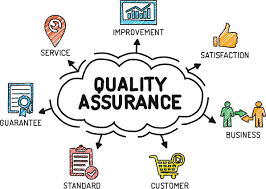
Quality Assurance (QA)
Functional Testing: Ensuring all features and functionalities work as expected.
Usability Testing: Evaluating the app’s usability and ensuring it provides an intuitive user experience.
Performance Testing: Assessing the app’s speed, responsiveness, and stability under various conditions (e.g., heavy traffic, limited resources).
Security Testing: Identifying potential security risks and vulnerabilities, ensuring that user data is protected.
Compatibility Testing: Ensuring the app functions well across different devices, screen sizes, and operating systems.
Bug Fixing: Identifying and resolving any bugs or glitches before the app is launched.
App Development
Native App Development: Building apps specifically for one platform (iOS or Android) using platform-specific programming languages (Swift for iOS, Kotlin for Android). Native apps deliver superior performance and are ideal for complex functionalities.
Cross-Platform App Development: Using frameworks like React Native, Flutter, or Xamarin to build apps that work seamlessly across multiple platforms with a single codebase. This is cost-effective and ensures wider reach.
Backend Development: Creating the server-side infrastructure that powers your app’s data storage, security, and processing. A strong backend ensures smooth data flow and responsiveness.
API Integration: Connecting your app with third-party services or APIs (e.g., payment gateways, social media, or cloud services) to extend functionality.


Deployment & Launch
App Store Optimization (ASO): Optimizing your app’s title, description, keywords, screenshots, and reviews to ensure it ranks higher in app store search results and attracts more downloads.
Beta Testing: Before the full launch, beta testing with a limited audience helps gather feedback, identify bugs, and make final adjustments.
Publishing to App Stores: Submitting your app to the relevant app stores, following their guidelines and approval processes.
Monitoring & Analytics: After launch, monitoring user feedback, app performance, and analytics to identify areas for improvement or feature updates.
App Marketing
App Store Optimization (ASO): As mentioned earlier, optimizing your app’s visibility in the app store is crucial for driving organic downloads.
Social Media Marketing: Promoting your app on platforms like Instagram, Facebook, Twitter, and LinkedIn to reach potential users. Social media ads, influencer partnerships, and organic posts can boost awareness.
Content Marketing: Creating engaging content such as blog posts, videos, and tutorials to drive traffic to your app and increase its credibility.
Referral Programs: Encouraging existing users to refer friends or colleagues in exchange for rewards, boosting your app’s user base.
Paid Advertising: Running targeted ads on platforms like Google Ads, Facebook Ads, or Instagram Ads to reach a wider audience and increase app downloads.
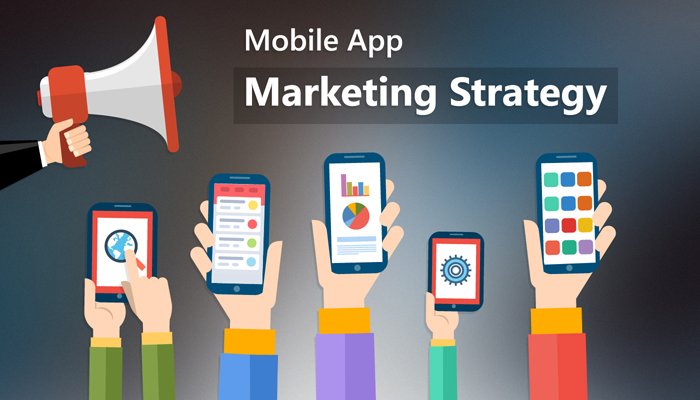

Mobile App for Construction Companies
Managing a construction project involves juggling multiple teams, deadlines, and tasks, which can quickly become overwhelming. At Bitogrid, we design a mobile app for construction companies that makes day-to-day operations much simpler. The app allows managers and site teams to track progress, share updates instantly, and stay organized, reducing delays and miscommunication. It also keeps clients informed with easy-to-understand project updates, creating transparency and building trust.
Interior Designer Mobile App Development
Bitogrid offers specialized interior designer mobile app development to help designers manage their projects more efficiently. Our apps allow interior designers to showcase portfolios, organize tasks, and track project progress, making day-to-day operations smoother and more streamlined.
These apps also enhance client interaction by providing real-time updates, easy communication, and virtual consultations. With our interior designer mobile app development, designers can improve productivity, maintain better client relationships, and grow their business effectively in a competitive market.